Ideas, styles, and prompts
Veo 3.1 video prompts: camera, sound and cinematic styles
A useful Veo prompt separates what the viewer sees from what they hear. Establish the shot and action, then describe the sound that belongs to the scene. Choose whether you are directing a quiet single take or a more elaborate performance before adding dialogue.
By Peelaway · Updated · Sources checked
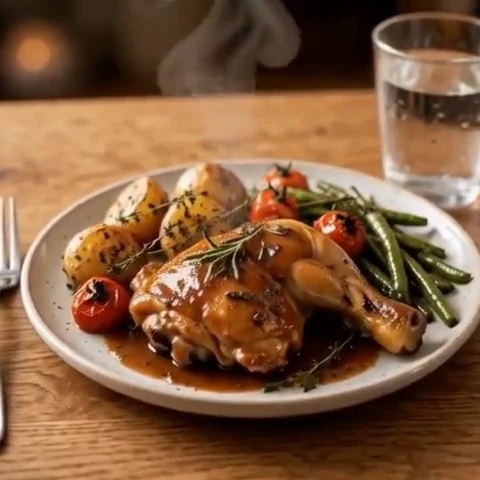
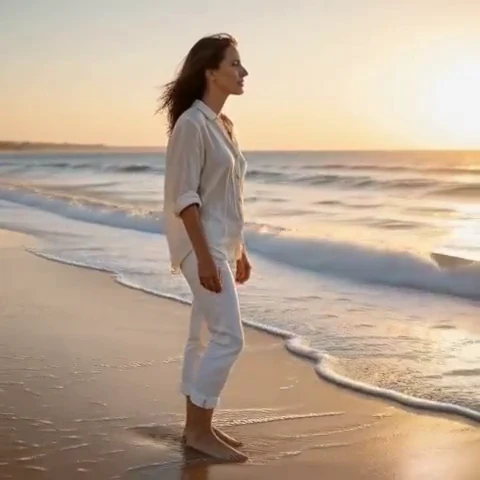
Peelaway motion examples. Open a clip to watch it and see its source image. These silent catalog previews show a creative direction; new Moments can include ambient sound.
Choose the model and workflow
Google’s January 2026 Veo 3.1 update describes Ingredients to Video, reference consistency and vertical generation. Available controls differ across Flow, Gemini and API access. Native generation and upscaling are different operations; check the selected surface rather than treating every output setting as interchangeable.
Veo 3.1: official documentation and examples
Build the shot
Write subject, setting, camera, action and sound as separate decisions. With references, let the images establish appearance and use the prompt to direct motion. Keep dialogue short if it is essential, and avoid adding it to a scene whose purpose is simply atmosphere.
- Describe one clear sound source, such as rain or a cup touching a saucer.
- Use portrait framing in the controls when the destination needs it, then keep the action within that composition.
- Review the silent picture first, then listen separately for stray speech or mismatched sound.
Six prompt and visual-style ideas
These are original prompt suggestions to adapt, not a benchmark or a record of outputs generated on this model. Replace the subject and use settings supported by your selected mode. The Peelaway previews on this page illustrate creative directions separately.
1. Cinematic observation
A quiet cinematic shot of a gardener brushing soil from their hands. Slow push-in, soft overcast light, muted green clothes. Hear a light brush of fabric and distant birds.
2. Home-movie warmth
Two adults seated on summer porch steps smile at each other. Warm faded film color and gentle handheld drift. Hear leaves moving nearby and a brief natural laugh.
3. Handmade miniature
A miniature clay mouse pushes a tiny wooden door open. Matte clay, warm tabletop light, fixed camera. A small wooden creak accompanies the movement.
4. Illustrated movement
An illustrated coastal village in watercolor. A flag lifts as pale painted clouds drift behind the rooftops. Slow lateral camera movement; hear a soft coastal breeze.
5. Food and product detail
Macro view of sparkling water in an unbranded glass. Small bubbles rise as a thin slice of citrus settles. Cool studio light; hear gentle fizz rather than music.
6. Atmosphere and place
A mountain campsite at blue hour. A tent flap stirs and a small lantern casts steady amber light. Locked wide composition, faint wind and soft fabric movement.
Repair an overloaded prompt
An unclear starting request:
A dramatic café with loud music, conversation, rain, narration and perfect silence.
A more specific version to try:
A close shot of a plain coffee cup beside a rainy window. A hand sets the cup on its saucer and leaves the frame. Hear the soft ceramic contact and distant rain. The camera stays still; the mood is quiet.
The repair removes conflicting audio directions and ties sound to visible action. If the output adds unwanted speech, simplify the sound description and try a new take.
Review the result before sharing
- Watch once for the whole action, then pause at the beginning, middle and end. Look for changing anatomy, objects and background geometry.
- Check the visual treatment over time: paper should remain paper, clay should remain clay, and faces should stay recognizable.
- If audio is present, listen separately for unintended speech or a sound that does not belong. Keep only a result whose motion and sound serve your purpose.
Try a related direction in Moments
For a short clip in Peelaway, choose a curated Moment or describe your own, then start with a photo, an idea, or both. Adapt one action from the recipe instead of importing a multi-shot editing workflow. The examples here are Peelaway catalog previews, not evidence of this external model’s output.
How to describe photo animation
Sources
Bring a photo to life
Pick a curated Moment or write your own. Start with a photo, an idea, or both.
Browse momentsKeep exploring
Photo animation prompts: describe motion, camera and sound
Write a clear photo-to-video prompt with one action, a camera instruction and atmosphere. Copy original recipes and learn how to repair conflicting directions.
How to make a short video from an idea
Turn a written idea into a short Moment. Establish the subject, scene and one action, then review framing, movement and ambient sound.
How to bring a photo to life with a short clip
Turn a photo into a short clip with ambient sound. Choose a suitable source, pick or write a Moment, and review motion and likeness before sharing.