Ideas, styles, and prompts
Seedance 2.5 prompts: references, camera moves and visual styles
Give each reference a job. Decide which image supplies the character, which supplies the setting and which supplies the visual treatment before describing the action. Otherwise, a prompt can accidentally ask the model to copy a composition when you only wanted its color.
By Peelaway · Updated · Sources checked
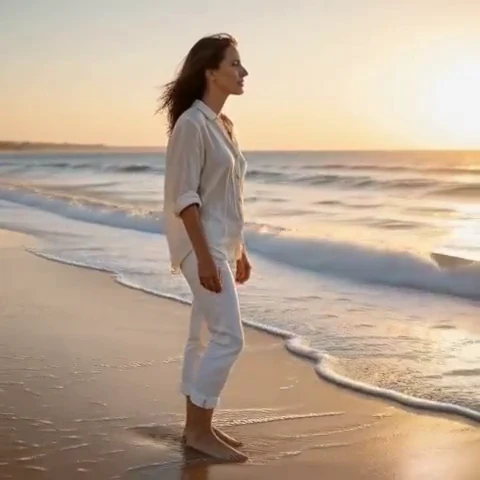
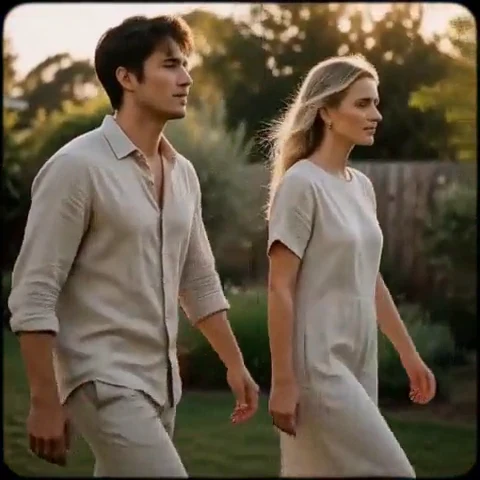
Peelaway motion examples. Open a clip to watch it and see its source image. These silent catalog previews show a creative direction; new Moments can include ambient sound.
Choose the model and workflow
Seedance 2.5 was announced July 31, 2026 with expanded multimodal references, longer generation and editing controls. These capabilities go beyond a simple photo animation. Confirm which controls your access surface exposes, and use its actual reference labels rather than assuming a placeholder in a copied prompt is connected to an upload.
Seedance 2.5: official documentation and examples
Build the shot
Write a short reference map, then describe the shot in temporal order. Begin with a single continuous action even when longer sequences are supported. For multiple shots, maintain subject descriptions and screen direction across cuts. Add only the reference assets needed for a specific decision.
- Assign character, environment, camera movement and palette to references separately.
- Replace each placeholder with the label of an attached asset; a typed filename alone is not a reference.
- Review transitions for a changed face, costume or prop. Simplify a sequence before increasing its length.
Six prompt and visual-style ideas
These are original prompt suggestions to adapt, not a benchmark or a record of outputs generated on this model. Replace the subject and use settings supported by your selected mode. The Peelaway previews on this page illustrate creative directions separately.
1. Cinematic observation
Use the attached portrait as the subject reference. A traveler on a train platform closes a small notebook and looks toward an arriving train off-screen. A slow side track, overcast natural light and quiet cinematic color.
2. Home-movie warmth
Use the family photograph for the people and porch layout. They share a small laugh, staying seated. Borrow only faded warm colors from the attached film still; retain the source clothing and camera height.
3. Handmade miniature
Use the character drawing for the rabbit and the clay sample for surface texture. The rabbit straightens one folded paper flower on a tiny shop counter. Fixed camera, matte materials and shallow tabletop shadows.
4. Illustrated movement
Use the botanical illustration for line and wash treatment. A branch bends in a breeze; two petals drift past. Keep the page composition and allow only a slight camera approach.
5. Food and product detail
Use the product photo for the unbranded bottle shape. Light glides along its glass edge as the camera moves through a small arc. The cap, label placement and silhouette remain stable.
6. Atmosphere and place
Use the landscape image for geography and the motion reference only for its gentle forward glide. Move toward the footbridge through pale morning mist. Keep buildings and shoreline in their original positions.
Repair an overloaded prompt
An unclear starting request:
Use all references and make a cinematic film in their style.
A more specific version to try:
Use the attached portrait for the traveler and the station image for the location. Borrow only the warm ochre palette from the painting. In one medium shot, the traveler checks the platform clock, then looks down the track. The camera slowly moves alongside them.
The revision assigns an explicit role to each asset and avoids a vague request to blend everything. Inspect whether the palette reference has also changed the face or converted the scene into paint.
Review the result before sharing
- Watch once for the whole action, then pause at the beginning, middle and end. Look for changing anatomy, objects and background geometry.
- Check the visual treatment over time: paper should remain paper, clay should remain clay, and faces should stay recognizable.
- If audio is present, listen separately for unintended speech or a sound that does not belong. Keep only a result whose motion and sound serve your purpose.
Try a related direction in Moments
For a short clip in Peelaway, choose a curated Moment or describe your own, then start with a photo, an idea, or both. Adapt one action from the recipe instead of importing a multi-shot editing workflow. The examples here are Peelaway catalog previews, not evidence of this external model’s output.
How to describe photo animation
Sources
Bring a photo to life
Pick a curated Moment or write your own. Start with a photo, an idea, or both.
Browse momentsKeep exploring
Photo animation prompts: describe motion, camera and sound
Write a clear photo-to-video prompt with one action, a camera instruction and atmosphere. Copy original recipes and learn how to repair conflicting directions.
How to make a short video from an idea
Turn a written idea into a short Moment. Establish the subject, scene and one action, then review framing, movement and ambient sound.
How to bring a photo to life with a short clip
Turn a photo into a short clip with ambient sound. Choose a suitable source, pick or write a Moment, and review motion and likeness before sharing.