Ideas, styles, and prompts
Runway Gen-4.5 prompts: motion language and visual styles
In image-to-video, use the input image to establish the look and the prompt to direct movement. In text-to-video, the prompt must also establish the scene. This distinction helps avoid spending most of a motion prompt redescribing details that are already visible.
By Peelaway · Updated · Sources checked
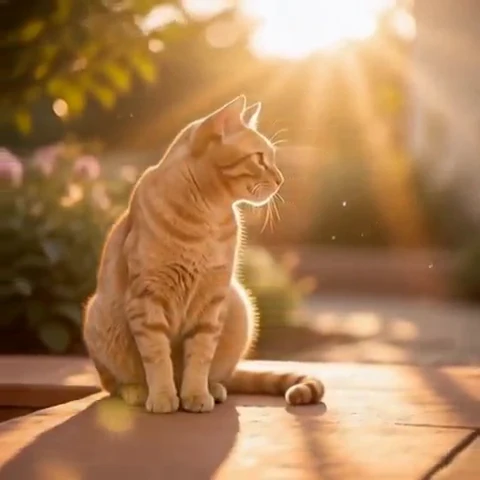
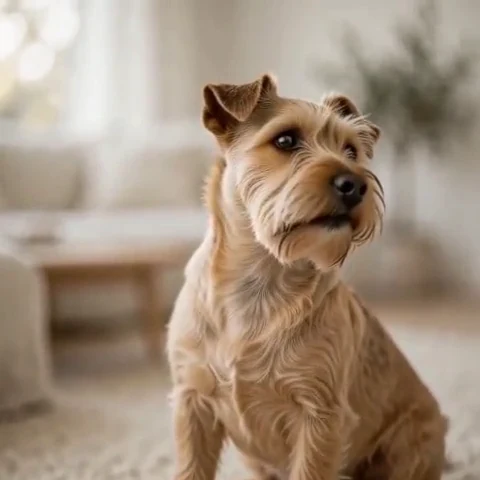
Peelaway motion examples. Open a clip to watch it and see its source image. These silent catalog previews show a creative direction; new Moments can include ambient sound.
Choose the model and workflow
Runway documents Gen-4.5 for text-to-video and image-to-video, including camera choreography and sequenced actions. Runway also hosts other companies’ models; this guide concerns Gen-4.5, not every model available through the Runway interface.
Runway Gen-4.5: official documentation and examples
Build the shot
Build a shot in passes: action first, camera second, atmosphere third. Prefer concrete positive direction, such as a locked camera or a slow side track, over a long list of things that should not happen. Hold the composition constant while testing a changed action.
- Begin with a strong source image whose subject is separated from the background.
- Name the moving subject clearly when several people or objects are present.
- Review how the camera and subject move relative to each other; a dolly and a zoom change a scene differently.
Six prompt and visual-style ideas
These are original prompt suggestions to adapt, not a benchmark or a record of outputs generated on this model. Replace the subject and use settings supported by your selected mode. The Peelaway previews on this page illustrate creative directions separately.
1. Cinematic observation
An eye-level medium shot of a potter placing a bowl on a shelf. The camera tracks gently alongside the movement. Soft sidelight, quiet cinematic color and natural surface detail.
2. Home-movie warmth
Animate the supplied family snapshot: one person leans toward the other and both smile. The camera drifts slightly like a handheld home movie. Preserve the original clothing and warm color.
3. Handmade miniature
A small clay bear on a miniature stage gives a slow bow. Matte handmade surfaces, visible tool marks and a fixed camera at stage height.
4. Illustrated movement
A paper-cut forest scene. The front layer of leaves drifts left while the distant trees remain still. Shallow layered shadows and muted green paper, with a small sideways camera slide.
5. Food and product detail
A close shot of honey slowly folding from a spoon onto plain yogurt. Warm morning light, neutral background and a locked camera. The spoon stays within the upper part of the frame.
6. Atmosphere and place
A traveler looks across a foggy valley from a wooden railing. The camera eases forward slightly as mist passes below. Pale gray-blue color and a restrained documentary feel.
Repair an overloaded prompt
An unclear starting request:
Not shaky, not fast, no weird movement, not a zoom.
A more specific version to try:
A locked-off medium shot. The dancer lifts one hand slowly to shoulder height, pauses, then lowers it. The background remains stationary and the movement is unhurried.
The revised version describes an observable result instead of relying on exclusions. Use it to judge the hand path and pace before adding a moving camera.
Review the result before sharing
- Watch once for the whole action, then pause at the beginning, middle and end. Look for changing anatomy, objects and background geometry.
- Check the visual treatment over time: paper should remain paper, clay should remain clay, and faces should stay recognizable.
- If audio is present, listen separately for unintended speech or a sound that does not belong. Keep only a result whose motion and sound serve your purpose.
Try a related direction in Moments
For a short clip in Peelaway, choose a curated Moment or describe your own, then start with a photo, an idea, or both. Adapt one action from the recipe instead of importing a multi-shot editing workflow. The examples here are Peelaway catalog previews, not evidence of this external model’s output.
How to describe photo animation
Sources
Bring a photo to life
Pick a curated Moment or write your own. Start with a photo, an idea, or both.
Browse momentsKeep exploring
Photo animation prompts: describe motion, camera and sound
Write a clear photo-to-video prompt with one action, a camera instruction and atmosphere. Copy original recipes and learn how to repair conflicting directions.
How to make a short video from an idea
Turn a written idea into a short Moment. Establish the subject, scene and one action, then review framing, movement and ambient sound.
How to bring a photo to life with a short clip
Turn a photo into a short clip with ambient sound. Choose a suitable source, pick or write a Moment, and review motion and likeness before sharing.