Ideas, styles, and prompts
Pika video prompts: playful motion and visual-style ideas
Choose between animating a scene and applying an effect before writing a Pika prompt. A subtle gesture needs a restrained action; a transformation needs a clear starting object and finishing state. Giving both equal emphasis can make it difficult to tell what the clip was meant to do.
By Peelaway · Updated · Sources checked
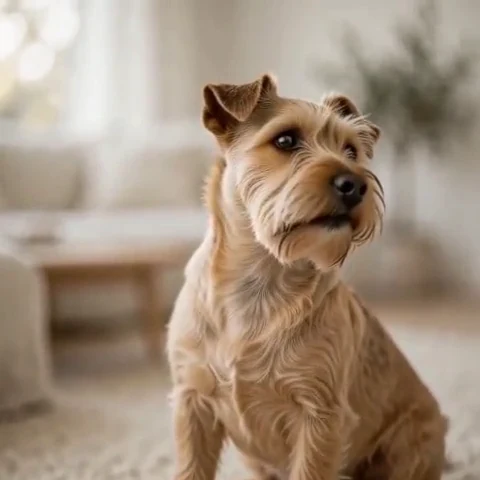
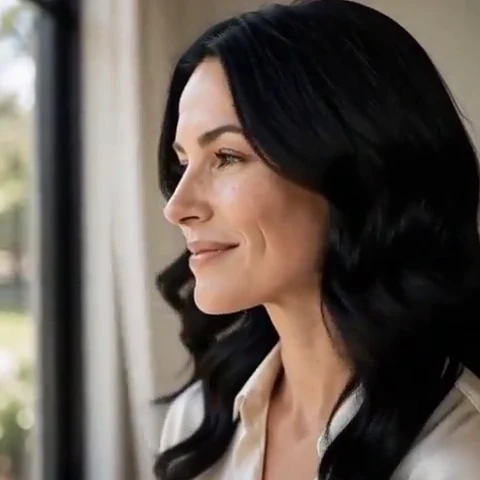
Peelaway motion examples. Open a clip to watch it and see its source image. These silent catalog previews show a creative direction; new Moments can include ambient sound.
Choose the model and workflow
Pika’s current site navigation lists Pika 2.5, while parts of its FAQ still describe earlier releases. Check the model shown in your actual creation screen. This guide focuses on prompt design and does not carry older FAQ duration, pricing or resolution limits over to 2.5.
Pika 2.5: official documentation and examples
Build the shot
Start with a recognizable subject against a simple background. Write the action as one visible change. If you choose an effect or a first/last-frame workflow, use the corresponding product control; naming a feature in prose does not necessarily enable it. Keep a saved copy of the starting image for comparison.
- For an expressive gesture, isolate the face or moving object without cropping away needed space.
- For a transformation, describe one final material or shape and avoid competing destinations.
- Inspect whether the background and subject outline remain coherent while the effect happens.
Six prompt and visual-style ideas
These are original prompt suggestions to adapt, not a benchmark or a record of outputs generated on this model. Replace the subject and use settings supported by your selected mode. The Peelaway previews on this page illustrate creative directions separately.
1. Cinematic observation
A small terrier looks toward the camera and tips its head once. A fixed close view, soft window light and natural fur texture.
2. Home-movie warmth
A faded summer postcard scene: two friends wave from a porch. Gentle home-movie warmth, a tiny handheld drift and a calm background.
3. Handmade miniature
A tiny clay cup squashes slightly and returns to its original shape. Matte finger-marked surfaces and a locked camera; the handle remains attached.
4. Illustrated movement
A paper-cut flower slowly unfolds its petals. Visible layered edges, shallow shadows and a warm cream backdrop. Keep the stem and camera still.
5. Food and product detail
An unbranded jar of jam on a breakfast table. A spoon lifts a small glossy spoonful into view and pauses. Warm side light and a simple composition.
6. Atmosphere and place
A dreamy illustrated moon reflected in a pond. One ring of ripples expands through the reflection and fades. Soft blue washes, visible paper texture and a fixed view.
Repair an overloaded prompt
An unclear starting request:
Make this cup melt, explode, turn to glass and bounce into a cartoon.
A more specific version to try:
A plain clay cup gently squashes downward, then returns to its original shape. Matte handmade texture, fixed camera and a simple warm background. The handle stays attached throughout.
A single reversible change provides a clear start and finish. Treat this as a prompt idea to try, not a promise that a particular effect preset will preserve the handle.
Review the result before sharing
- Watch once for the whole action, then pause at the beginning, middle and end. Look for changing anatomy, objects and background geometry.
- Check the visual treatment over time: paper should remain paper, clay should remain clay, and faces should stay recognizable.
- If audio is present, listen separately for unintended speech or a sound that does not belong. Keep only a result whose motion and sound serve your purpose.
Try a related direction in Moments
For a short clip in Peelaway, choose a curated Moment or describe your own, then start with a photo, an idea, or both. Adapt one action from the recipe instead of importing a multi-shot editing workflow. The examples here are Peelaway catalog previews, not evidence of this external model’s output.
How to describe photo animation
Sources
Bring a photo to life
Pick a curated Moment or write your own. Start with a photo, an idea, or both.
Browse momentsKeep exploring
Photo animation prompts: describe motion, camera and sound
Write a clear photo-to-video prompt with one action, a camera instruction and atmosphere. Copy original recipes and learn how to repair conflicting directions.
How to make a short video from an idea
Turn a written idea into a short Moment. Establish the subject, scene and one action, then review framing, movement and ambient sound.
How to bring a photo to life with a short clip
Turn a photo into a short clip with ambient sound. Choose a suitable source, pick or write a Moment, and review motion and likeness before sharing.