Ideas, styles, and prompts
MiniMax H3 video prompts: motion, atmosphere and visual styles
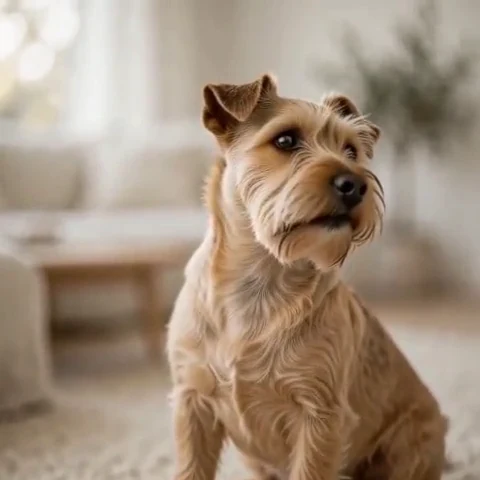
For a short H3 clip, describe the change you want to see before adding atmosphere. A seated dog turning its head is easier to judge than a list of cinematic adjectives. Establish the subject and scene, choose one camera behavior, and let the action finish before asking for another.
By Peelaway · Updated · Sources checked
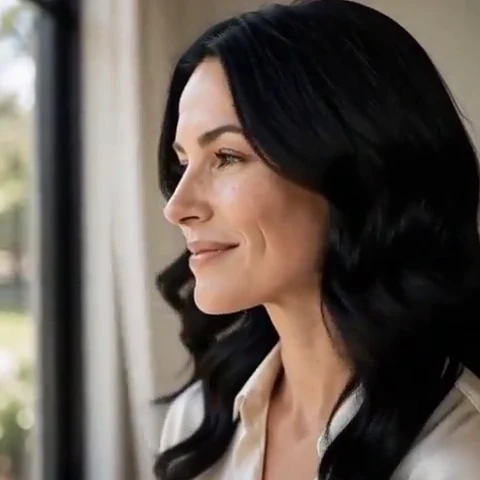
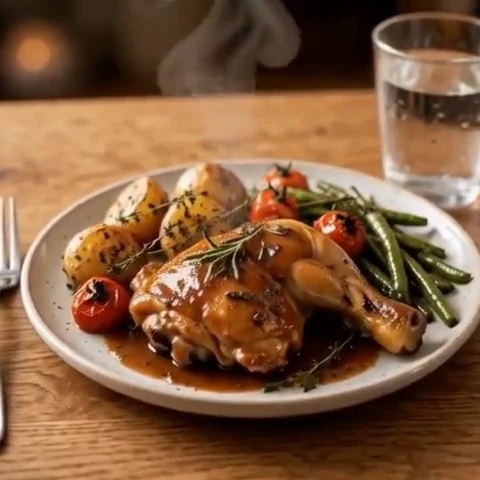
Peelaway motion examples. Open a clip to watch it and see its source image. These silent catalog previews show a creative direction; new Moments can include ambient sound.
Choose the model and workflow
MiniMax presents H3 as a model family spanning generation and editing tasks. This guide concentrates on short text-to-video and image-to-video direction. Controls vary by the H3 variant and host: confirm the selected endpoint or app mode before assuming reference, sound or editing features are available.
MiniMax H3 / Hailuo: official documentation and examples
Build the shot
Start with a recognizable opening frame. If you supply a photo, describe movement rather than replacing its subject, clothes and surroundings in prose. If you start with text, describe those details explicitly. Write an opening, a small change and a resting point. Add room tone or another simple sound only in a mode that supports audio.
- Hold the camera at eye level while the dog turns toward the window; inspect the ear and muzzle shapes.
- For atmosphere, assign motion to one background element: a curtain, steam or leaves. Avoid making everything move at once.
- For a written scene, specify one subject and the space around it before asking for a camera move.
Six prompt and visual-style ideas
These are original prompt suggestions to adapt, not a benchmark or a record of outputs generated on this model. Replace the subject and use settings supported by your selected mode. The Peelaway previews on this page illustrate creative directions separately.
1. Cinematic observation
A cinematic medium shot of a woman reading beside a window. She lowers the book slightly and looks into the light. The camera makes a small push-in. Muted olive and warm cream colors, soft natural skin texture.
2. Home-movie warmth
A family home-movie scene: two adults seated on a porch exchange a glance and smile. Gentle handheld drift, faded summer colors and warm side light. The framing stays wide enough to keep both faces visible.
3. Handmade miniature
A miniature clay terrier sits on a felt rug and tips its head once. Matte sculpted fur, visible handmade marks, soft tabletop shadows. A fixed camera lets the small gesture carry the shot.
4. Illustrated movement
A paper-cut garden in a shallow display box. Three folded leaves sway while the layered paper background remains still. Warm cream lighting and visible cut edges; a very slow lateral camera slide.
5. Food and product detail
A ceramic bowl of soup on a linen-covered table. A thin ribbon of steam rises and disperses. Low side light catches the bowl edge; the camera and the table remain still.
6. Atmosphere and place
A mountain lake at dawn, pale mist sliding across the water while one reed bends in the foreground. Cool blue shadows and a narrow band of peach light. Slow observational pacing.
Repair an overloaded prompt
An unclear starting request:
A portrait spins around, smiles, walks away and becomes a painting.
A more specific version to try:
The person remains seated beside the window, turns their eyes toward the camera and gives a small closed-mouth smile. A slow push-in stops at a medium close-up. Soft afternoon light remains steady.
The repair removes competing actions and a medium change. Compare the mouth and jaw at the opening, midpoint and end; a calmer prompt still does not guarantee likeness.
Review the result before sharing
- Watch once for the whole action, then pause at the beginning, middle and end. Look for changing anatomy, objects and background geometry.
- Check the visual treatment over time: paper should remain paper, clay should remain clay, and faces should stay recognizable.
- If audio is present, listen separately for unintended speech or a sound that does not belong. Keep only a result whose motion and sound serve your purpose.
Try a related direction in Moments
For a short clip in Peelaway, choose a curated Moment or describe your own, then start with a photo, an idea, or both. Adapt one action from the recipe instead of importing a multi-shot editing workflow. The examples here are Peelaway catalog previews, not evidence of this external model’s output.
How to describe photo animation
Sources
Bring a photo to life
Pick a curated Moment or write your own. Start with a photo, an idea, or both.
Browse momentsKeep exploring
Photo animation prompts: describe motion, camera and sound
Write a clear photo-to-video prompt with one action, a camera instruction and atmosphere. Copy original recipes and learn how to repair conflicting directions.
How to make a short video from an idea
Turn a written idea into a short Moment. Establish the subject, scene and one action, then review framing, movement and ambient sound.
How to bring a photo to life with a short clip
Turn a photo into a short clip with ambient sound. Choose a suitable source, pick or write a Moment, and review motion and likeness before sharing.