Ideas, styles, and prompts
Luma Ray3.2 video prompts: cinematic motion and style continuity
Plan a camera path that the scene can support. A small slide past a window gives the model less unseen space to invent than an orbit around a tightly cropped person. In a cinematic shot, the camera should reveal something useful rather than move simply because it can.
By Peelaway · Updated · Sources checked
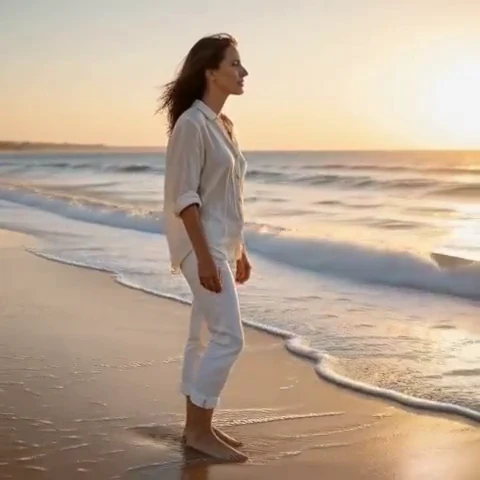
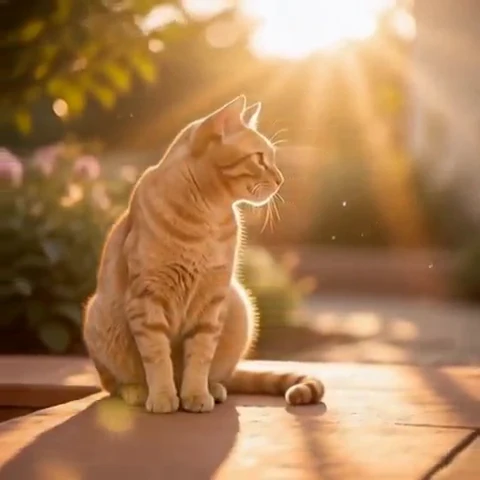
Peelaway motion examples. Open a clip to watch it and see its source image. These silent catalog previews show a creative direction; new Moments can include ambient sound.
Choose the model and workflow
Luma identifies Ray3.2 as its current video model, released in June 2026. Luma’s broader production workflow and model generation controls are not the same thing. Check the selected mode before assuming a reference, editing or finishing feature is part of a particular generation request.
Luma Ray3.2: official documentation and examples
Build the shot
Choose an opening composition and an ending composition before writing the shot. Describe the path between them, then the subject action. Keep light direction and material descriptions stable. If the source is tightly cropped, prefer a modest push-in or fixed view rather than a large reveal.
- Use a camera move to reveal depth, an expression or a detail—not all three at once.
- Keep lighting descriptions physically coherent: name the main source and its direction.
- Inspect reflections and background edges for changes during camera movement.
Six prompt and visual-style ideas
These are original prompt suggestions to adapt, not a benchmark or a record of outputs generated on this model. Replace the subject and use settings supported by your selected mode. The Peelaway previews on this page illustrate creative directions separately.
1. Cinematic observation
A cinematic tracking shot along a quiet bookshop aisle. A reader slides one book from a shelf and pauses. Soft window light from the left, muted browns and green shadows.
2. Home-movie warmth
A warm home-movie view of a picnic blanket. Two adults straighten its corner and sit back. Small handheld movement, faded greens and gentle afternoon light.
3. Handmade miniature
A miniature clay boat rocks once in a shallow painted sea. Matte sculpted waves and a fixed low camera; warm studio light makes the model scale visible.
4. Illustrated movement
An ink-and-wash city street with a single umbrella opening. Keep the loose linework and pale paper texture stable while the umbrella moves. Slow camera approach.
5. Food and product detail
A glass of iced tea on dark wood. A narrow light reflection shifts as the camera slides gently past. Keep the glass silhouette and ice shapes coherent.
6. Atmosphere and place
A wide coastal view at dawn. One wave folds onto the sand while the camera moves slightly toward the shoreline. Cool shadows, pale warm horizon and slow pacing.
Repair an overloaded prompt
An unclear starting request:
Orbit fully around this close-up portrait and reveal a huge city.
A more specific version to try:
From the supplied close-up, move slightly closer as the person glances toward the side light. Keep the background softly out of focus and the light direction unchanged.
The repair respects the limited scene information in the input. A wider reveal needs a source image or scene description that actually provides room for it.
Review the result before sharing
- Watch once for the whole action, then pause at the beginning, middle and end. Look for changing anatomy, objects and background geometry.
- Check the visual treatment over time: paper should remain paper, clay should remain clay, and faces should stay recognizable.
- If audio is present, listen separately for unintended speech or a sound that does not belong. Keep only a result whose motion and sound serve your purpose.
Try a related direction in Moments
For a short clip in Peelaway, choose a curated Moment or describe your own, then start with a photo, an idea, or both. Adapt one action from the recipe instead of importing a multi-shot editing workflow. The examples here are Peelaway catalog previews, not evidence of this external model’s output.
How to describe photo animation
Sources
Bring a photo to life
Pick a curated Moment or write your own. Start with a photo, an idea, or both.
Browse momentsKeep exploring
Photo animation prompts: describe motion, camera and sound
Write a clear photo-to-video prompt with one action, a camera instruction and atmosphere. Copy original recipes and learn how to repair conflicting directions.
How to make a short video from an idea
Turn a written idea into a short Moment. Establish the subject, scene and one action, then review framing, movement and ambient sound.
How to bring a photo to life with a short clip
Turn a photo into a short clip with ambient sound. Choose a suitable source, pick or write a Moment, and review motion and likeness before sharing.