Ideas, styles, and prompts
Gemini Omni 1.1 Flash prompts: create, revise and style a video
Treat conversational video editing as a sequence of decisions. Establish the shot first, then ask for a specific change while naming what should remain. “Warm the window light; keep the camera and action” gives a clearer revision target than “make it better.”
By Peelaway · Updated · Sources checked
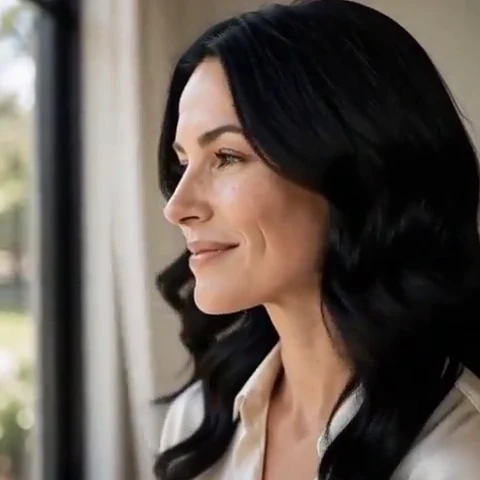
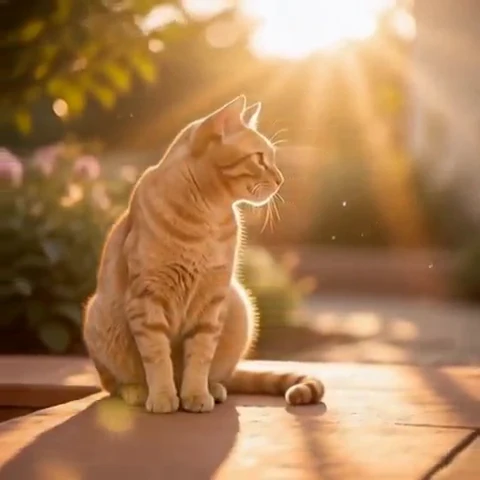
Peelaway motion examples. Open a clip to watch it and see its source image. These silent catalog previews show a creative direction; new Moments can include ambient sound.
Choose the model and workflow
Google documents Gemini Omni 1.1 Flash for video generation and conversational editing, with text, image and video inputs. Its model reference was updated in August 2026. Available duration, resolution and extension controls depend on the operation; consult the current documentation rather than carrying settings over from Veo.
Gemini Omni 1.1 Flash: official documentation and examples
Build the shot
Keep a written record of the accepted shot and change one dimension per revision. Separate a new scene request from an edit to existing footage. When using first and last frames, choose endpoints that can be connected by plausible motion: a small head turn is a different problem from a complete change of room.
- First establish framing, subject action and duration in the selected mode.
- Ask for a light or color change while explicitly retaining the performance and camera.
- Compare the revised opening and ending with the accepted shot; keep the prior version if a requested edit damages something you wanted to preserve.
Six prompt and visual-style ideas
These are original prompt suggestions to adapt, not a benchmark or a record of outputs generated on this model. Replace the subject and use settings supported by your selected mode. The Peelaway previews on this page illustrate creative directions separately.
1. Cinematic observation
Create a quiet medium shot of a florist tying a ribbon around a bouquet. The camera stays at table height; the hands finish the knot and pause. Natural window light and restrained documentary color.
2. Home-movie warmth
Edit the accepted florist clip: keep the ribbon movement, face and camera. Change the palette to warm 1970s home-movie colors with gentle grain and softer contrast.
3. Handmade miniature
Create a clay miniature cyclist beside a tiny flower shop. The cyclist rings the handlebar bell once. Matte clay surfaces and warm tabletop light, with a fixed camera.
4. Illustrated movement
Revise the miniature shot: keep the cyclist and action. Make the storefront layered paper with visible folded edges while keeping the miniature scale and camera position.
5. Food and product detail
Create a close view of tea being poured into a plain ceramic cup. Show a steady stream, then the hand lifts the pot away. Cool morning window light and a clean background.
6. Atmosphere and place
Edit the tea clip: retain the cup, pouring action and timing. Add soft rain on the distant window and lower the background contrast so the stream remains easy to see.
Repair an overloaded prompt
An unclear starting request:
Make this much more cinematic and completely different.
A more specific version to try:
Keep the person, the small head turn and the current camera position. Change only the lighting to soft amber window light with cooler shadows in the room. Preserve the opening and ending composition.
This gives the revision a defined target. Inspect whether the model changes clothing, timing or identity along with the light; keep only the result that satisfies the actual request.
Review the result before sharing
- Watch once for the whole action, then pause at the beginning, middle and end. Look for changing anatomy, objects and background geometry.
- Check the visual treatment over time: paper should remain paper, clay should remain clay, and faces should stay recognizable.
- If audio is present, listen separately for unintended speech or a sound that does not belong. Keep only a result whose motion and sound serve your purpose.
Try a related direction in Moments
For a short clip in Peelaway, choose a curated Moment or describe your own, then start with a photo, an idea, or both. Adapt one action from the recipe instead of importing a multi-shot editing workflow. The examples here are Peelaway catalog previews, not evidence of this external model’s output.
How to describe photo animation
Sources
Bring a photo to life
Pick a curated Moment or write your own. Start with a photo, an idea, or both.
Browse momentsKeep exploring
Photo animation prompts: describe motion, camera and sound
Write a clear photo-to-video prompt with one action, a camera instruction and atmosphere. Copy original recipes and learn how to repair conflicting directions.
How to make a short video from an idea
Turn a written idea into a short Moment. Establish the subject, scene and one action, then review framing, movement and ambient sound.
How to bring a photo to life with a short clip
Turn a photo into a short clip with ambient sound. Choose a suitable source, pick or write a Moment, and review motion and likeness before sharing.