Ideas, styles, and prompts
How to animate a pet photo without losing its character
Start with a sharp photo that shows the part of your pet you want to move, then choose one small action: an ear lifting, a slow blink or a curious head tilt. In Moments, the photo supplies the pet and scene while the selected motion gives the clip its direction.
By Peelaway · Updated · Sources checked
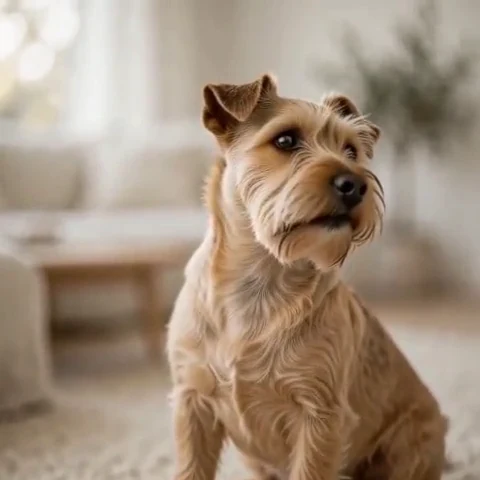
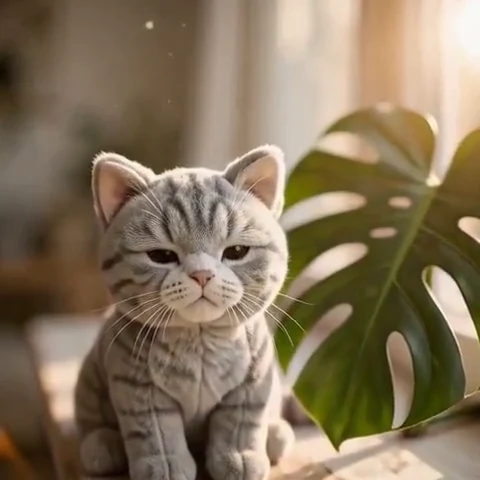
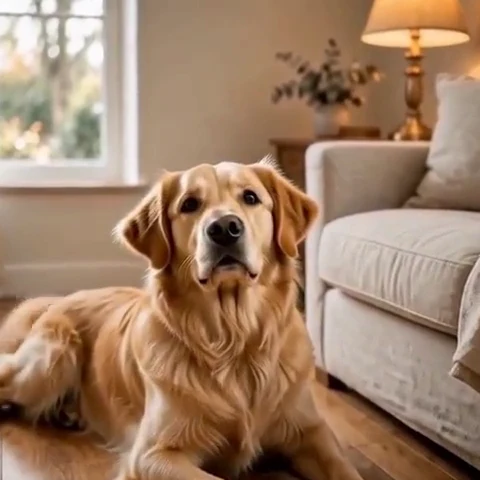
Peelaway motion examples. Open a clip to watch it and see its source image. These silent catalog previews show a creative direction; new Moments can include ambient sound.
Choose a photo with room for the gesture
A front or three-quarter view makes a small head turn easier to inspect. Leave space above the ears and beside the muzzle. If you want a tail wag, include the tail and enough of the body to establish where it attaches. A tightly cropped sleeping face is a better starting point for a blink than a running sequence.
- Prefer clear eyes, a readable muzzle and consistent lighting.
- Choose a calm background with separation around fur and whiskers.
- Avoid beginning with a hidden paw, tangled leash or several overlapping animals when those details matter.
Match motion to the pose
| Starting photo | Motion to try | Check in the result |
|---|---|---|
Alert dog, ears visible | Head Tilt | Ear shape, muzzle length and collar position |
Resting cat | Slow Blink | Eye shape, whiskers and fur markings |
Seated dog with tail visible | Happy Thump | Tail attachment and the contact with the floor |
Give the clip one thing to do
The seated dog tips its head slightly toward the camera, pauses, then relaxes. Keep the body in place and the camera still. Soft daylight and quiet room ambience.
The resting cat slowly closes its eyes, opens them and settles. Keep its face and markings consistent with the photo. A fixed camera and faint room tone.
These are directions to try when writing your own Moment, not guarantees of exact behavior. Start with the shortest available clip and review the gesture before asking for a second action.
Review the parts that make your pet recognizable
Pause at the opening, midpoint and ending. Compare the markings around the eyes, ear tips, nose and collar. Watch legs and paws when the body moves. If a small feature changes, simplify the action or choose a source where it is easier to see; adding more adjectives rarely fixes a poor starting view.
Keep movement believable
An animation invents movement. It does not recover a real event or prove how an animal would behave. A small gesture can preserve the feeling of a favorite photo without turning it into a performance. Listen to the generated clip separately and reject sounds that feel wrong for the scene.
Make and share your Moment
Choose a pet Moment, add your photo and an optional idea, then review the finished clip. Download or share only the take you want to keep. Current quality, duration and watermark options depend on your plan.
Sources
Bring a photo to life
Pick a curated Moment or write your own. Start with a photo, an idea, or both.
Browse momentsKeep exploring
How to bring a photo to life with a short clip
Turn a photo into a short clip with ambient sound. Choose a suitable source, pick or write a Moment, and review motion and likeness before sharing.
Photo animation prompts: describe motion, camera and sound
Write a clear photo-to-video prompt with one action, a camera instruction and atmosphere. Copy original recipes and learn how to repair conflicting directions.
How to make a short video from an idea
Turn a written idea into a short Moment. Establish the subject, scene and one action, then review framing, movement and ambient sound.