For 90% of surveyed shoppers, photo quality was very or extremely important to a purchase.
Etsy buyer surveyFashion Shotby peelaway
Turn 1–2 clothing photos into a coherent product-image set
Create a styled flat lay, transparent product view, and on-model concept without arranging another shoot.
Phone photo
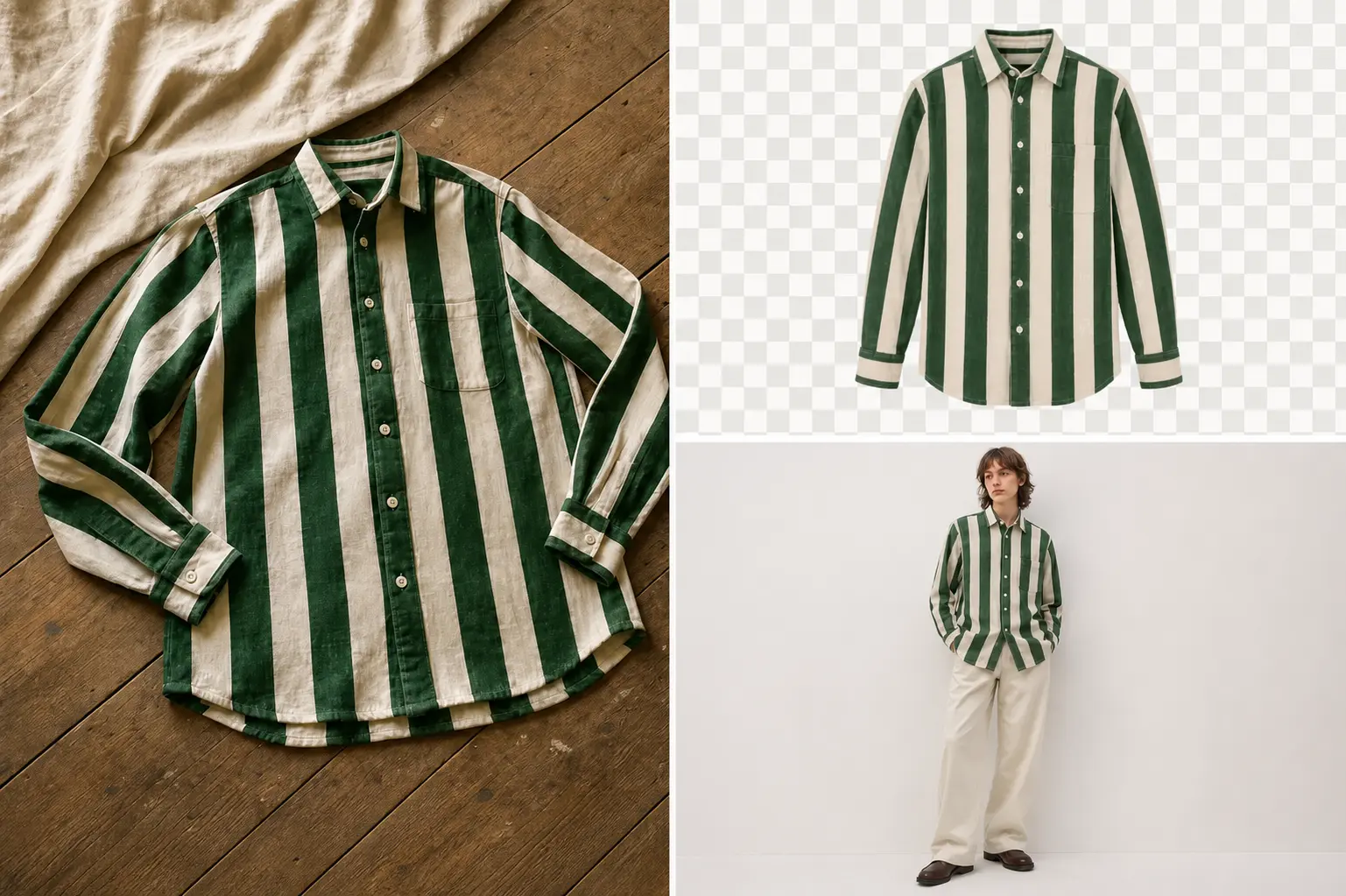
Fashion Shot
Download your set, then check the image rules for the store or marketplace where you plan to publish it.
- Shopify
- WooCommerce
- BigCommerce
- Squarespace
- Wix
- Etsy
- eBay
- Amazon
Product photos answer early shopping questions
Shoppers often examine images before the rest of a product page. Clear, varied photos can help them understand shape, styling, and visible details.
Baymard watched people shop. 56% explored the product photos before anything else on the page.
Baymard studyeBay connects better photos with getting found, earning buyer confidence, and reducing returns.
eBay guidanceGive shoppers more useful views of each product
Build a more complete product page from one clear clothing photo. Add clean, styled, and on-model concepts without scheduling another shoot, then review every image against the item you will sell.

To a storefront product gallery
Field NotesNew collection


Pleated midi skirt
$148
Deep indigo
XSSML
Add
Create your product shoot
Add one product photo and create.
Add your product photo
Your Standard set
- 1.Product view
- 2.Styled flat lay
- 3.Model photo
Also included: Review sheet and photobook.
Uses 3 credits
Frequently asked questions
Will the photos match my product?
Fashion Shot is designed to follow the color, shape, print, and details visible in your photo. Styled and on-model photos can vary from the real product. Use the product-accuracy checklist to compare each result with your garment.
Which clothing views should I create?
A flat lay shows the garment's shape. An on-model view adds styling context. Compare flat-lay and on-model photos, then follow the on-model photo guide to prepare references and review the result.
Can I use the photos commercially?
Yes. You can use them in stores, marketplaces, social posts, and ads. As between you and Peelaway, you own the finished photos to the extent permitted by law. You must own or have permission to use everything you upload. See our Terms for full details.
Can I create photos for a whole collection?
Yes. Fashion Shot creates one set for one product at a time. When a set is ready, choose Create for the next item. Your model, background, crop, and art direction stay in place to help the collection look consistent.
What types of fashion products can I use?
Fashion Shot supports tops, shirts, outerwear, dresses, bottoms, and fashion accessories. Add one product at a time so every photo in the set follows the right shape and details.
What kind of source photo works best?
Use a sharp photo with the full product in frame, even lighting, and nothing covering important details. The background does not need to be tidy. A bed, floor, or cluttered room is fine as long as the product's edges are easy to see. Avoid blur, deep shadows across the product, and cropped sleeves or hems. See the clothing photography guide for a practical light and camera setup.

Let your next idea take shape
Find a style you love and make it yours with a photo, a prompt, or both.